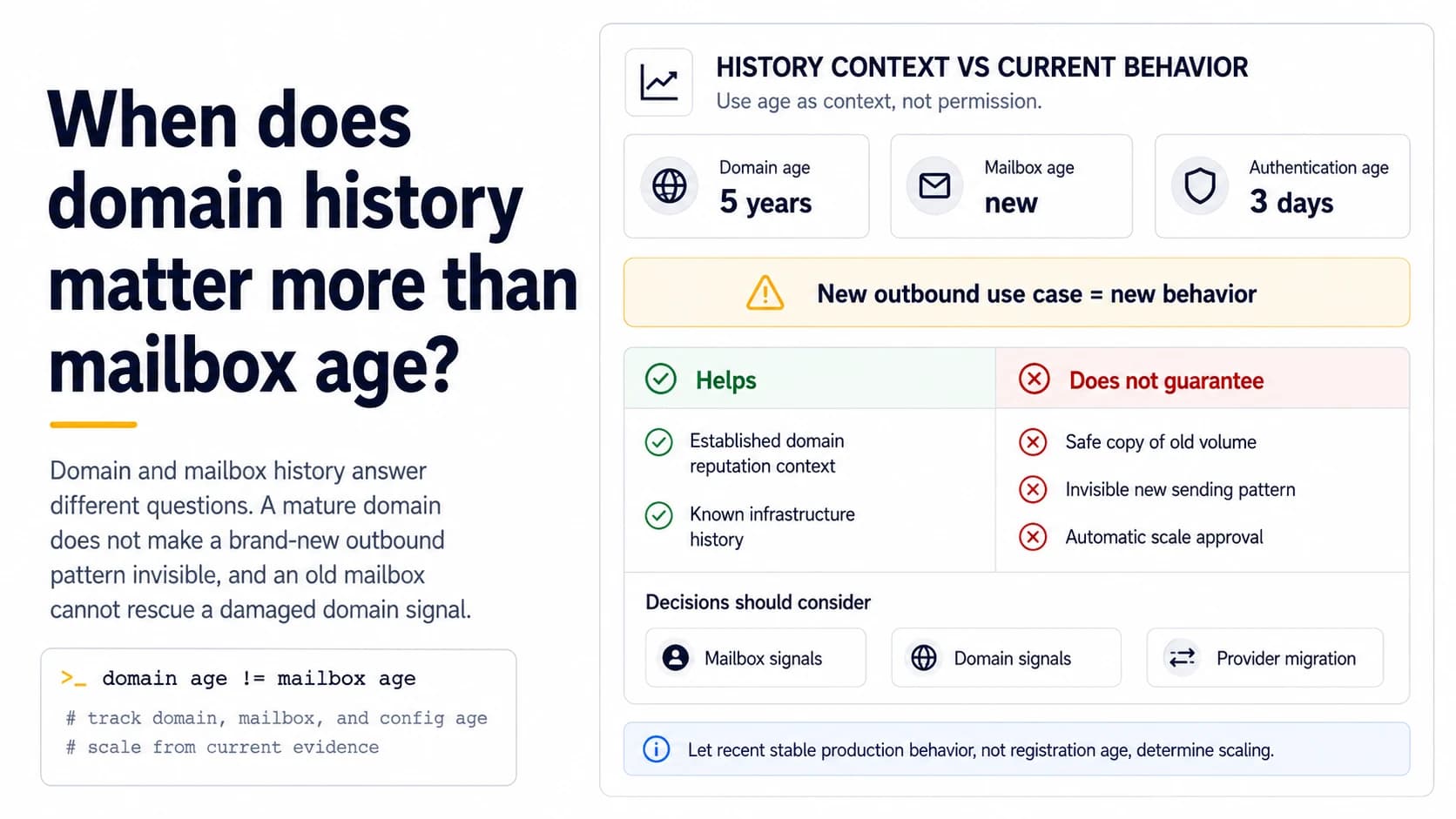
Domain age and mailbox age describe different things
A five-year-old company domain and a mailbox created yesterday do not have the same history. The domain may have years of legitimate correspondence, working DNS, and stable authentication. The new address has no personal sending pattern and may also be governed by provider-specific account controls. Neither fact grants a published prospecting quota. Treat domain history as useful context while still introducing new mailbox behavior gradually. This is especially important when the domain has never previously been used for outbound lead generation.
Old domain history does not make a new traffic pattern invisible
If a company domain normally sends invoices and employee mail, then suddenly creates two sales mailboxes that produce a hundred near-similar prospect messages each morning, receivers can observe a behavioral change even though the registration date is old. A mature domain is not a blank check for a new workload. Start with small production batches, keep authentication stable, and compare recipient responses with the domain's normal mail patterns. The goal is to add a new stream without turning it into the largest unexplained change in recent history.
A new mailbox can benefit from good infrastructure without copying old volume
Established DNS, correct DKIM, and a known provider reduce setup uncertainty for a new mailbox. Use that advantage to test cleanly, not to skip the ramp. If an older account sends 30 relevant messages per active day with stable results, the new account can use it as a comparison point while beginning lower. If the new mailbox sees policy deferrals at 12 while the older one does not, the difference is evidence worth investigating rather than a reason to force both accounts to the same number.
An old mailbox cannot rescue a damaged shared domain
The reverse mistake is assuming a long-lived mailbox is protected when domain-level conditions deteriorate. If DKIM breaks for the shared domain, a list import creates a hard-bounce spike, or complaints increase across accounts, the age of one mailbox does not neutralize those signals. This is why operators need both mailbox and domain views. History helps you locate change: if every account shifts together, shared infrastructure or domain-level traffic is more plausible than simultaneous independent mailbox problems.
Provider migration resets more than people expect
Moving a mature domain to a new mailbox provider can change sending IPs, Return-Path identities, DKIM selectors, and account-level controls while the From domain remains identical. Preserve pre-migration headers and test the new path before applying old outbound assumptions. The domain's history still exists, but the transport and authenticated identities may have changed. A cautious ramp after migration is therefore not “warming the domain from zero”; it is establishing evidence for a new technical path.
Track three ages instead of one folklore number
For diagnosis, note the domain's established use, the mailbox creation or activation date, and the age of the current sending configuration. A two-year-old mailbox that had its provider and DKIM setup replaced yesterday has a new configuration path even though the address itself is old. These three timestamps are more useful than a single “domain age” field because they tell you where a sudden behavior change could originate. Add list age as a fourth timestamp when recipient quality is also uncertain.
Scale according to current evidence
Use recent real outbound to decide whether a new mailbox can approach the working range of older accounts. Confirm authentication, actual volume, permanent failures, provider deferrals, replies, and suppression behavior. Increase in bounded steps and watch aggregate domain traffic as additional mailboxes join. The historical domain may let you begin with more confidence in infrastructure, but only current evidence can show whether the new traffic pattern is healthy. History informs the experiment; it does not replace it.
Track provider and authentication age as separate change events
A mailbox may be years old while its current sending path is only two days old. Moving from one mailbox provider to another can introduce a new DKIM selector, new envelope domain, new sending IP pool and different queue behavior even though the visible address is unchanged. That is why “mailbox age” alone is a weak operational variable. Add timestamps for domain registration or first use, mailbox creation, current provider cutover and current authentication configuration. When results change, compare them with the most recent structural event. An old mailbox with a brand-new signer should be tested like a changed system, not assumed to inherit every property of its previous provider.
Use recent stable behavior as the strongest baseline
Historical age is useful context, but recent comparable production batches are more actionable. If a domain has existed for three years but was silent for six months, the most relevant evidence after restart is how the first new batches behave now. If a mailbox is only three weeks old but has produced several stable, verified batches under the current provider and domain pattern, those results are a stronger basis for the next small increase than the raw creation date. Keep the oldest dates in the inventory, but make scaling decisions from current authentication, list quality, receiver responses, total traffic and queue control. This avoids the two opposite myths that an old domain is automatically safe or that a young mailbox is automatically unusable.
Document quiet periods as part of recent history
A domain that sent steadily six months ago and then went silent does not have the same recent pattern as a domain that has been sending consistently all week. Record long quiet periods and restart dates so the next operator understands why the current ramp is conservative even though the domain itself is old. When restarting, use small comparable batches and rebuild a recent baseline under the current provider, list source and authentication setup. Historical age may still be useful context, but the most actionable history is the traffic receivers have observed recently. This prevents an old registration date from becoming a false reason to skip controlled testing.
Field checklist
- Distinguish domain history, mailbox age, and current configuration age.
- Do not copy an older mailbox’s volume into a brand-new account automatically.
- Treat a new outbound use case as a new behavior even on a mature domain.
- Compare mailbox-level and domain-level signals when problems appear.
- Re-baseline after provider or authentication migrations.
- Let current production evidence, not registration age, determine scaling.
Primary sources
Standards and provider policies can change. These links are the reference points used for this field note.
- Email sender guidelinesGoogle Gmail Help — Authentication, TLS, DNS, spam-rate and bulk-sender requirements.
- Outlook requirements for high-volume sendersMicrosoft Defender for Office 365 Blog — SPF, DKIM and DMARC requirements for high-volume mail to Outlook.com consumer domains.
- Postmaster Tools dashboardsGoogle Gmail Help — Spam-rate, reputation, authentication, encryption and delivery-error dashboard behavior and limitations.
- RFC 9989 — DMARCIETF / RFC Editor — Current DMARC base specification, published May 2026.